How to Access and Use the SmartForm Dashboard in Commnia
Construction teams capture an enormous amount of data every day: SWMS, ITPs, Inductions, and other forms across multiple sites, trades, and partner companies.
The information is there but finding patterns in it has always meant exporting spreadsheets and building custom reports.
The new SmartForm Dashboard changes that. Every submission flowing through your SmartForm module is automatically organised into clear, grouped views: by category, location, template, trade and recipient company. In a single screen, you see exactly what is happening across your projects.
Interactive Demo

For the best experience go into Fullscreen mode
How to Access the SmartForm Dashboard
Navigate to the main menu and select Smart Forms under Quality + Safety
Here you are presented with your dashboard screen.
1. Use the selector to group by different options
Category: Groups by Form Category
Location: Groups by Location assigned to the form submission
Template: Groups all result by template name
Trade: Groups Form by the corresponding trade of the recipient.
Recipient Company: Groups Submissions by Company
2. With the contextual search, pinpoint what you are looking for.
3. Change from Table view to Card view.
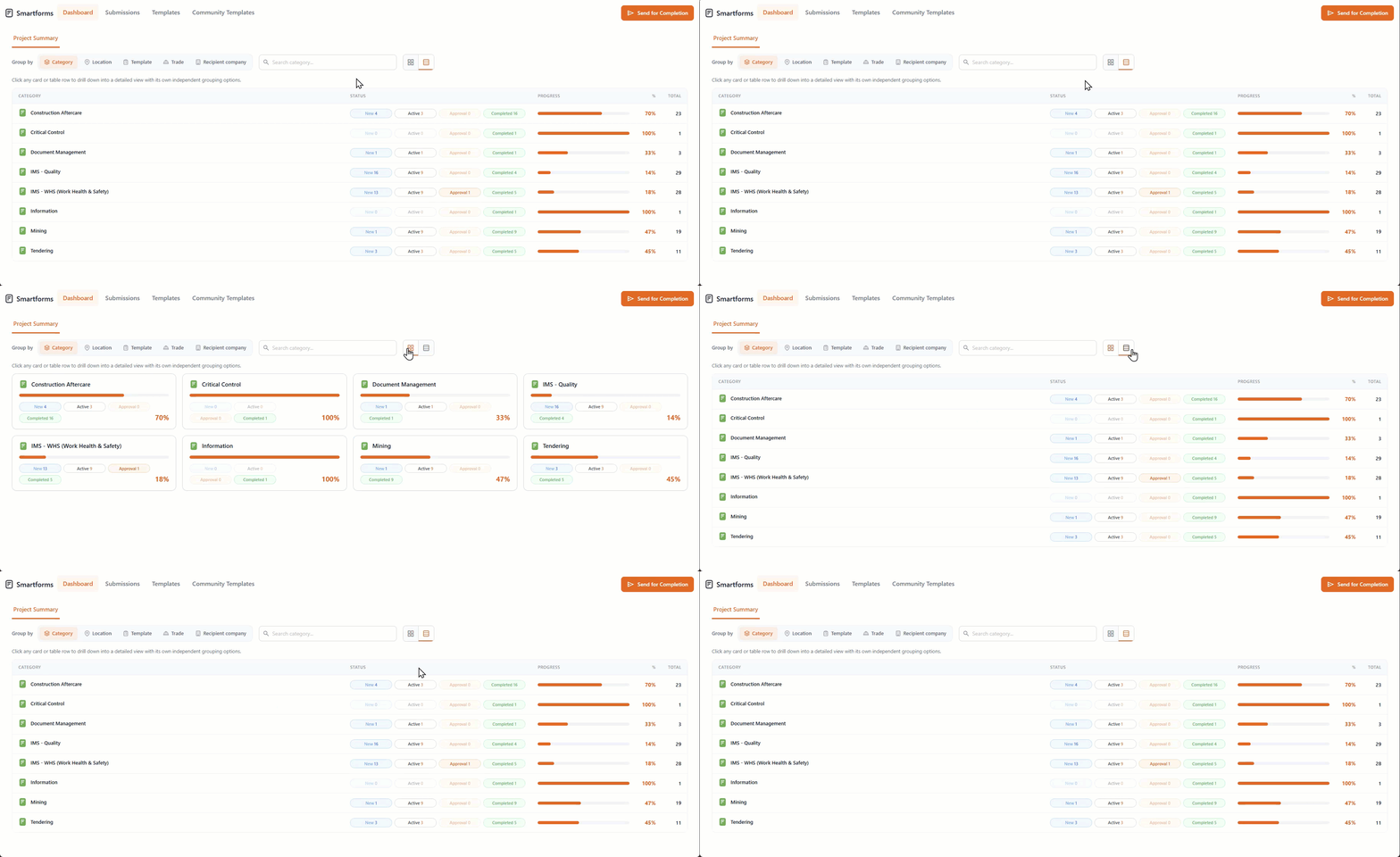
Group by Category
Instantly see your operational mix across Safety, Quality, Inspections, RFIs, and more. Project managers can confirm safety reporting is happening at the expected rate, catch quality issues trending upward early, and make sure no critical category is being neglected on a job.
Each card has a breakdown of New, Active, Approval, Complete Submissions with an overall percentage reflecting overall completed.
This dashboard features dynamic grouping logic at every level, enabling you to narrow your search and can thoroughly audit individual submissions.
Group by Location
Pinpoint exactly where activity, issues, or risks are concentrated within a project. Depending on your project you might have these location set as sites or specific locations and sublocations in a building, from there superintendents can see at a glance which areas are generating the most inspections or safety reports, making it easy to direct teams, QA/QC, or safety personnel to the part of the site that needs attention right now.
Each location has a breakdown of New, Active, Approval, Complete Submissions with an overall percentage. You can continue filtering deeper into the dashboard eventually arriving at the individual submissions
Group By Template
Know exactly which forms your teams actually rely on in the field. Identify the templates driving real value, retire the ones nobody uses, and confirm whether a newly rolled-out form (like an updated JHA or pre-pour checklist) is being adopted on the ground.
You can continue filtering deeper into the dashboard using the subcategories inside the selected template, at any time you can use New, Active, Approval, Complete navigational buttons to go into those specific submissions.
Group by Trade
Understand workload and risk by trade. If concrete inspections lag during a pour week, you see it immediately, giving superintendents the data to coordinate trade-specific huddles and resolve issues before they become schedule hits.
With every form anchored to the header, you can monitor performance across all categories without navigating away from your primary view.
Group by Recipient Company
Hold subcontractors and vendors accountable with hard data. Quickly see which subbies are responsive, which are sitting on open submissions, and which consistently complete their forms on time, turning subcontractor performance reviews into a data-driven conversation instead of a finger-pointing one.
Forms are conveniently listed in the header bar, enabling a rapid, top-down analysis of the entire recipient company workflow at a glance.
Related Articles
Managing Forms After the SiteManager Migration to SmartForms
Overview All forms that were previously created in Site Manager — including ITPs, Safety, and quality forms — have now been migrated into Commnia’s native SmartForms module. This change gives you faster access to your data, more advanced form ...Create a New Smartform Template
Create a new Smart Form Template Commnia's Smart Forms allows you to create digital forms tailored to fit your specific data collection needs. Setup and distribute your own forms in minutes. All users within the company are able to access these form ...Smart Form Submissions
Depending on the form permissions - This will determine who has access to the submission Form Submissions will display a list of forms that have been distributed for completion and their status. Commnia gives you many ways to manage and review ...Managing Inductions in Smart Forms
Depending on the form permissions - This will determine who has access to the submission SmartForms allow you to manage all your induction forms in one place — track progress, follow up, and ensure compliance effortlessly. Here’s how to get started: ...How do I send a form for completion? | Distribute Forms
How do I send a form for completion? Quick answer: From Smart Forms in Commnia, click the "Send for Completion", add your recipients, location, and due date, then hit Send. Recipients will receive the form ready to fill out. Interactive Demo For the ...